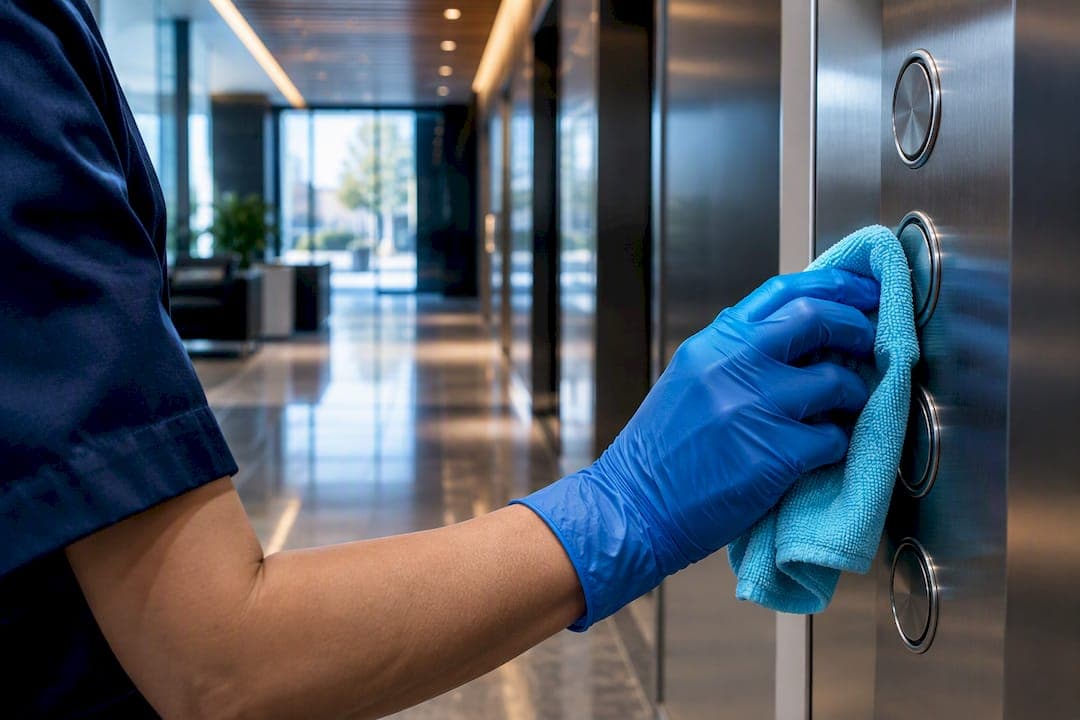
Keyboards, phones, door handles, lift buttons, kitchen touchpoints, printer panels and meeting-room remotes are the surfaces that carry the most germs in a typical office. The single most useful move a manager can make this week is to prioritise cleaning of these high-touch items, put hand sanitiser at entry points and shared equipment, and document a short cleaning schedule so the work actually happens rather than getting missed.
TL;DR:
- Keyboards, telephones, and door handles are the most contaminated office surfaces and require multiple wipes daily and weekly deep cleaning.
- High-touch areas like kitchen appliances, printer panels, and meeting-room remotes should be disinfected after each peak use or daily, with a comprehensive deep clean weekly.
- Proper cleaning involves removing dirt with detergent first, then disinfecting with appropriate products, respecting contact times and handling electronics carefully.
- Improving ventilation, avoiding overcrowding, and managing airflow are as crucial as surface cleaning to reduce airborne and contact-based germ spread.
- Staff adherence to hand hygiene, covering coughs, and routine cleaning supplies placement are essential to supplement professional cleaning efforts and prevent hotspots.
Table of Contents
- 1. Top high-touch office hotspots and how to clean them
- 2. How germs spread from one surface to the next
- 3. Cleaning and disinfecting: the right order and the safety notes
- 4. A one-week plan and checklist for office managers
- 5. What germ hotspots cost you in health and productivity
- 6. Personal habits that cut germ spread alongside cleaning
- 7. Choosing and using cleaning products safely
- 8. Why airflow matters as much as surface cleaning
- 9. Getting staff on board with the cleaning routine
- Why the small stuff gets missed, and what that costs you
- Sources
- FAQ
- Let a professional handle the hotspots you keep missing
1. Top high-touch office hotspots and how to clean them
Not every surface in an office deserves the same attention. The items people touch dozens of times a day, then touch their face, food or a colleague's desk, are the ones worth prioritising.
- Keyboards and mice: skin oils and crumbs collect in the crevices, and sampling across university facilities found substantial bacterial growth on these peripherals, with counts dropping markedly after a wipe with 70% isopropyl alcohol. Wipe daily, deep clean weekly.
- Desk surfaces and stationery: pens, staplers and phone chargers get passed between colleagues and rarely get wiped. A daily detergent wipe covers most of the risk.
- Telephones and headsets: mouthpieces sit close to the face and get shared on hot desks. Office surface sampling has found telephones carrying higher average viral RNA levels than many other fomites, so a wipe after each use on shared handsets is worth the minute it takes.
- Door handles, lift buttons and handrails: these get touched by everyone who passes, staff and visitors alike, and are named directly in Australian Government cleaning guidance as surfaces to clean and disinfect several times a day.
- Communal kitchen surfaces: microwave buttons, fridge handles, kettle switches and tap handles combine food handling with high traffic. Clean after each peak use, not just at the end of the day.
- Shared printers and copiers: touch panels get pressed by everyone in the office, often with damp or dry hands straight after a coffee run. A daily wipe and a heavier clean weekly is reasonable.
- Meeting room remotes and AV equipment: passed hand to hand in every meeting, rarely cleaned because nobody feels responsible for them. Add them to the weekly rotation.
- Sink and bathroom touchpoints: taps, soap dispensers and door locks see constant hand contact right where hygiene should be highest.
Electronics need gentle handling: alcohol wipes rather than sprays, and enough time to dry before use. Crevice-heavy items like keyboards need more attention than flat surfaces because grime sits where a cloth cannot easily reach.
2. How germs spread from one surface to the next
A single contaminated touchpoint does not stay contained. A tracer study that seeded one elevator button with a marker found it had spread to 13 other surfaces within four hours, purely through normal human movement and touch. That is the mechanism behind office hotspots: one dirty keyboard or door handle becomes a distribution point for everything else people touch afterwards.
Office sampling backs this up. A study testing office fomites found viral RNA on a meaningful share of surfaces tested, 27 out of 130 samples, with keyboards, mice and desktops among the items testing positive alongside telephones. These are not the surfaces most cleaning routines focus on. Cleaners tend to wipe desks and skip the phone, or clean the bathroom and leave the lift buttons.
The practical implication is that a short list of shared items does most of the work in spreading germs around a floor. In open-plan offices with hot-desking, that list of shared items is longer again because keyboards, chairs and phones rotate between different people every day, a trend covered in discussion of the resurgence of hot-desking in shared workspaces. Smaller offices with fixed desks have fewer contact points to manage but the same handful of communal items, kitchen, printer, meeting room, still connect everyone. Staff who are immunocompromised carry more risk from the same exposure, which is one reason to keep sanitiser near shared equipment rather than only at the front door.

3. Cleaning and disinfecting: the right order and the safety notes
Cleaning and disinfecting are two different steps, and doing them in the wrong order wastes the second one. Government cleaning guidance is specific about this: remove visible soil and grime with detergent and water first, because dirt and oils reduce how well a disinfectant can work, then apply disinfectant and leave it for the contact time stated on the label. Combined detergent and disinfectant products can do both jobs in one pass, but the label's contact time still has to be respected for it to work.
- Wipe away visible dirt, dust or food residue with a general detergent and a clean cloth.
- Apply a disinfectant labelled for the type of germs you are targeting, and leave it wet on the surface for the time stated on the label rather than wiping it off immediately.
- For electronics, use alcohol wipes or a barely damp microfibre cloth and follow the manufacturer's cleaning guidance rather than spraying liquid directly onto keys or ports.
- For soft furnishings, cushions and fabric chair covers, launder them or use a specialist steam cleaning service rather than a surface wipe.
- Increase frequency on high-touch items during a flu season or a confirmed case in the office, and add an extra pass on communal kitchen points.
Pro Tip: Keep a separate colour-coded cloth for kitchen and bathroom areas so grime and bacteria from one zone never gets carried to another.
Fogging and UV devices are sometimes marketed as a shortcut, but the same government guidance notes these technologies do not replace manual cleaning: UV light cannot reach shadowed surfaces and fogging carries chemical exposure risks, and both need trained operators and proper PPE. As a general cadence, high-touch items suit cleaning several times a day, kitchen touchpoints suit cleaning after each peak use, and a deeper clean of the whole office once a week catches what daily wipes miss.
4. A one-week plan and checklist for office managers
Turning this into practice does not need a big budget, just a short plan and someone accountable for it.
Assess. Walk the floor and map every high-touch item, keyboards, handles, kitchen points, printer panels, meeting room gear, onto a simple list or floor plan.
Act. Assign specific items to specific people or to your cleaning provider, and stock the basics: detergent wipes, a disinfectant labelled effective against viruses, hand sanitiser with at least 60% alcohol, and a supply of microfibre cloths kept separate for kitchen and bathroom use.
Sustain. Keep a simple logbook with the date, area, cleaner's initials and any issue noticed, review it weekly, and give staff a one-page reminder of what gets cleaned and how often.
- Keyboards, phones and door handles: wipe multiple times daily.
- Kitchen and bathroom touchpoints: wipe after each peak use.
- Printer panels, meeting room remotes and desk surfaces: wipe daily, deep clean weekly.
- Whole-office deep clean: weekly, with frequency increased during a flu outbreak or a confirmed case.
A downloadable version of this kind of plan is worth having on hand rather than rebuilding it from scratch. The office cleaning checklist covers daily through to annual tasks in one document, and a guide on cleaning frequency by office size helps set realistic intervals rather than guessing.
5. What germ hotspots cost you in health and productivity
Untreated hotspots do not just sit there looking fine, they act as a distribution network for whatever is circulating in the office. A single staff member with a cold who touches a shared keyboard, phone or kitchen tap can pass that virus to several colleagues within the same day, given how quickly contamination moves between touchpoints once it lands on one of them.
The knock-on effect is more sick days, more people working below their best while fighting off something minor, and more disruption to meetings and deadlines when several staff are out at once. Open-plan and hot-desk arrangements amplify this because more people share the same limited set of equipment, so one contaminated keyboard rotates through several sets of hands in a single week. None of this requires an outbreak to matter. Ordinary winter colds and gastro bugs move through offices via the same touchpoints, and the cost shows up in absenteeism and in the general sense that half the floor is coughing by Thursday. Keeping the shortlist of hotspots clean is one of the more direct ways a manager can reduce that drag without touching anything else about how the team works.
6. Personal habits that cut germ spread alongside cleaning
Cleaning schedules only do half the job. What staff do with their own hands matters just as much, and it is the part a cleaning roster cannot fix on its own.
Washing hands after using the bathroom, before eating, and after touching shared equipment is the simplest lever available, and it is one of the core measures in the hierarchy of controls for reducing transmission in shared spaces. Hand sanitiser placed near printers, kitchen entrances and meeting rooms makes this easy to do without a detour to the bathroom.
Covering coughs and sneezes with an elbow rather than a hand, staying home when genuinely unwell rather than pushing through at a shared desk, and wiping down a hot desk before and after use are small habits that add up across a floor of people. None of these require training beyond a short reminder, but they need to be visible and normalised rather than left as an unwritten expectation. A one-page hygiene reminder near the kitchen or on the intranet does more than a single email that gets buried.
7. Choosing and using cleaning products safely
Not every cleaning product does the same job, and using the wrong one on the wrong surface either wastes effort or damages equipment. Detergent removes dirt and grime; disinfectant kills germs on a surface that is already clean. Guidance from cleaning and disinfection principles is consistent on this point: clean first, disinfect second, because leftover dirt and oils blunt a disinfectant's effect.
Combined detergent and disinfectant products exist and can simplify the process, but the label's stated contact time still needs to be respected rather than wiped off early. Keep chemicals in their original containers with labels intact, store them away from food preparation areas, and never mix products, particularly bleach-based and ammonia-based cleaners, which can produce dangerous fumes. Anyone handling stronger disinfectants should have gloves available, and rooms should be ventilated while cleaning products are in use rather than sealed shut. Electronics are the exception to spray-and-wipe: alcohol wipes or a barely damp cloth, following the equipment's own care instructions, avoid damage to keyboards, phones and touch panels.

8. Why airflow matters as much as surface cleaning
Surface cleaning deals with what people touch. Ventilation deals with what people breathe, and the two work together rather than one replacing the other. Stale, poorly circulated air lets airborne particles, including respiratory droplets from a cough or sneeze, linger longer in a room than they would with decent air exchange.
Opening windows where possible, servicing air conditioning and filtration systems on a regular schedule, and avoiding overcrowding in small meeting rooms all reduce how much airborne material builds up over a working day. Meeting rooms and huddle spaces deserve particular attention because they pack more people into a smaller volume of air than an open floor does, often for back-to-back sessions with no break to clear the room. None of this substitutes for wiping down the phone or the door handle. A well-ventilated office with dirty keyboards still has a hotspot problem, and a spotless office with stagnant air still has an airborne one. Treating them as one hygiene plan rather than two separate concerns is what actually reduces overall transmission.
9. Getting staff on board with the cleaning routine
A cleaning schedule only works if people actually follow it, and that depends more on visibility and habit than on policy documents. Staff are far more likely to wipe down a shared keyboard if the wipes are sitting right there than if they have to walk to a supply cupboard first.
Placing supplies at the point of use, sanitiser by the printer, wipes by the kitchen kettle, removes the main excuse for skipping the step. A short briefing when the routine changes, rather than a long policy email nobody reads, tends to land better. Recognising the effort, even informally, when a team keeps a shared space tidy reinforces the habit without needing to police it. Rotating light responsibility, such as one person checking the kitchen bench at the end of each day, spreads the load rather than leaving it to whoever notices last. The goal is a routine that feels normal rather than imposed, because a hygiene plan that only works when someone is watching will not survive a busy week.
Why the small stuff gets missed, and what that costs you
The mistake most offices make is not a lack of cleaning, it is cleaning the wrong things thoroughly and the right things not at all. Bins get emptied, desks get wiped, carpets get vacuumed, and the keyboard sitting under someone's hands for eight hours a day gets touched by a cloth maybe once a month, if that.
Part of the reason is that hotspots are unglamorous. Nobody notices a clean phone handset the way they notice a tidy desk, so cleaning effort drifts toward what is visible rather than what actually carries germs. The fix is not more cleaning overall, it is redirecting a small amount of existing effort toward a short, specific list of items and making that list someone's actual job rather than a vague expectation.
— Deng
Sources
- Infection Prevention and Control Expert Group – Cleaning and disinfection in the community
- Interconnection of touch surfaces drives spread in public settings
- Prevalence of human parainfluenza viruses and noroviruses genomes on office fomites
- The bacterial burden on computer keyboards across selected university facilities
This article is general information, not a substitute for advice from a qualified doctor. Consult a qualified healthcare professional about your own circumstances before acting on anything here.
FAQ
What office item harbours the most germs?
Keyboards, mice and telephones consistently test among the most contaminated office items, with one office sampling study finding telephones carrying the highest average viral RNA levels of the surfaces tested. Regular wiping with detergent, followed by an alcohol-based wipe, keeps these items in check.
What places carry the most germs in an office?
Door handles, lift buttons, kitchen touchpoints and shared equipment such as printers and meeting room remotes are the highest-risk locations because so many different people touch them across a single day. Government guidance names these as surfaces to clean and disinfect multiple times daily.
What are the dirtiest items typically found in a workspace?
Keyboards, mice, phone handsets, desk surfaces and shared kitchen touchpoints tend to top most lists of contaminated workspace items, largely because they are touched constantly and cleaned rarely. Definitions of a fixed "dirtiest items" ranking vary between sources, but these categories appear consistently across office surface studies.
Which room in an office tends to carry the most germs?
Shared kitchen and bathroom areas tend to carry the heaviest germ load because they combine high foot traffic with food handling or hand contact at taps, handles and dispensers. Cleaning these zones after each peak use, rather than only once a day, addresses most of that risk.
How often should high-touch office surfaces be cleaned?
High-touch items such as keyboards, phones and door handles suit cleaning several times a day, based on routine cleaning guidance, with frequency increased further during a flu outbreak or a confirmed illness in the office. A weekly deeper clean of the whole space catches what daily wiping misses.
Let a professional handle the hotspots you keep missing
Most offices have the right intentions but not the time to keep a documented cleaning schedule running week after week, which is exactly where a professional service earns its keep. A professional cleaning service builds customised cleaning plans around the high-touch items covered above, using eco-friendly products and staff that are police-checked, with no lock-in contract tying you to a rigid arrangement.
Rather than leaving hotspot cleaning to whoever remembers, a booked office cleaning service documents what gets cleaned, how often, and by whom, so the schedule survives staff turnover and busy weeks. For teams that also need carpets, upholstery or a broader spring clean handled alongside the daily routine, the full range of cleaning services covers that from the same provider. Contact a cleaning provider to arrange a plan built around your office's actual layout and traffic, not a generic checklist.